Guides / Best free League recorder
How to choose a free League of Legends recorder
A useful League recorder should fit your PC, save footage in a format you control and make the VOD easy to find afterward. Compare the capture method, local limits, match context and upload rules before choosing.
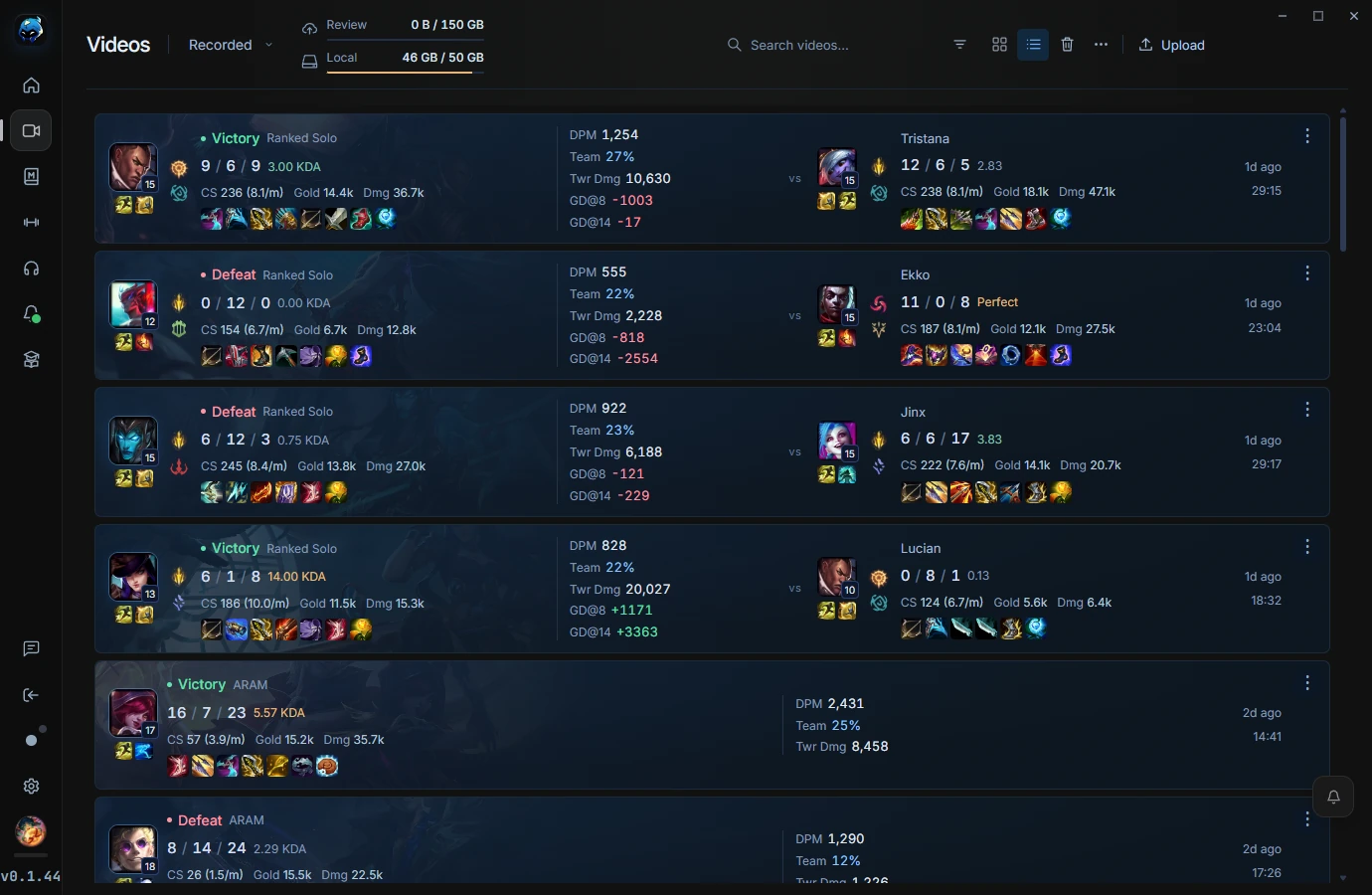
RiftRec's current free tier: automatic local League recording, local MP4 files without a watermark, match stats, highlights and click tracking. Cloud Review features use separate account storage and plan limits.
1. What to look for in a League recorder
- No watermark, no time limit — your VOD should be clean and as long as the game.
- Hardware encoding — check whether the recorder can use your GPU and test the impact on your own PC.
- Auto-record — it should start and stop with the game, not need a hotkey.
- League-aware — match stats, deaths and champions attached to each VOD, so review is fast.
- Local & private — files on your PC that you choose whether to share.
2. When "free" isn't free
Lots of recorders are "free" with strings attached: a watermark across your footage, a time limit per clip, quality locked behind a subscription, or ads. Others record your whole desktop and lean on the CPU, which drops your FPS mid-fight. For League specifically, those trade-offs make the recording less useful than it should be.
3. Why players pick RiftRec
RiftRec's current free tier includes local recording without a watermark and is built around League:
- Auto-records supported matches with a compatible GPU encoder when available.
- Files each VOD as a card with your KDA, items and enemy laner.
- Highlights & clips, plus optional Review rooms to watch with a coach.
4. Feature comparison
| Feature | RiftRec | Generic recorder |
| Free, no watermark | ✓ | Sometimes |
| Supported GPU encoding | ✓ | Check support |
| Auto-record League | ✓ | — |
| Match stats on each VOD | ✓ | — |
| Review rooms with a coach | ✓ | — |
Try the free League recorder
Local MP4 recording without an account or local-recording watermark.
Download RiftRec free