How to share a League VOD with your coach
The best coaching happens on the same screen. Instead of exporting a huge file and messaging it around, RiftRec lets you review the VOD together, live — synced playback, voice, notes and the match data all in one room.
1. Pick the game
In the Videos tab, choose the game you want feedback on — usually a loss you couldn't figure out. When League match data was available, the recording includes KDA, items and lane context for your coach.
2. Upload to Review
Hit Upload to Review on the video (or turn on Auto-upload in the Games tab so finished games go up automatically). It uploads in the background — you can keep browsing your other VODs while it does.
3. Invite your coach
Open a Review room and invite your coach (or duo, or whole team). They join in the browser — no big download, no account hoops.
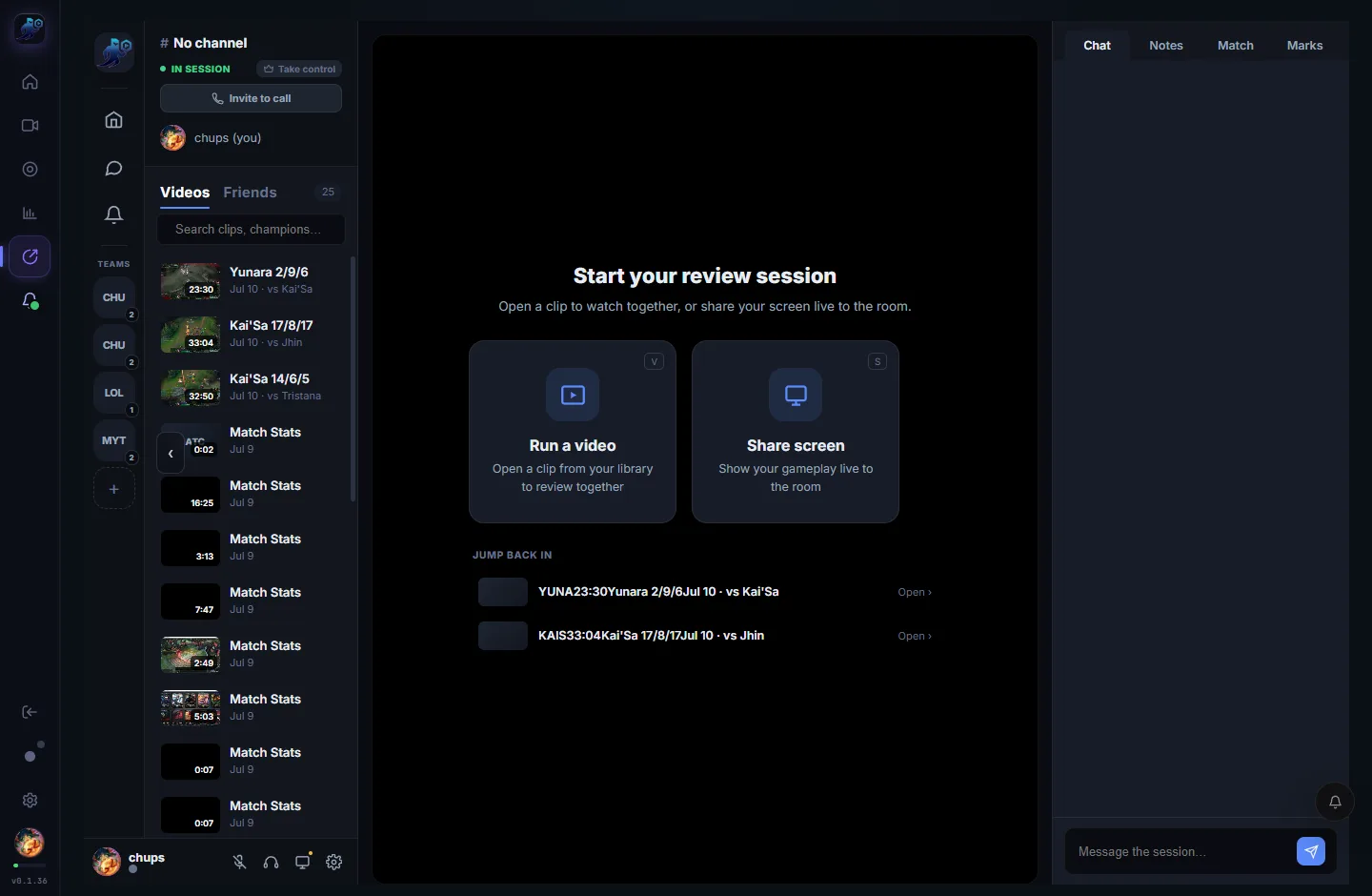
4. Review it together
Now you can use shared play, pause and scrub controls while you talk it through:
- Synced playback + voice — no "3, 2, 1, play" over Discord.
- Notes & marks — timestamp the key moments so you can revisit them.
- Match context — pull up the stats next to the VOD.
Review your next game with a coach
Free to record — review together with Review Pro.
Download RiftRec free